ESP32-S3 OLED Video Display
- ESP32-S3
- SH1106 OLED
- I²C Protocol
- Arduino IDE
- Adafruit GFX
- Adafruit SH110X
- C/C++
- Bitmap Encoding
ESP32-S3 OLED Video Display: High-Speed 1-Bit Video Rendering
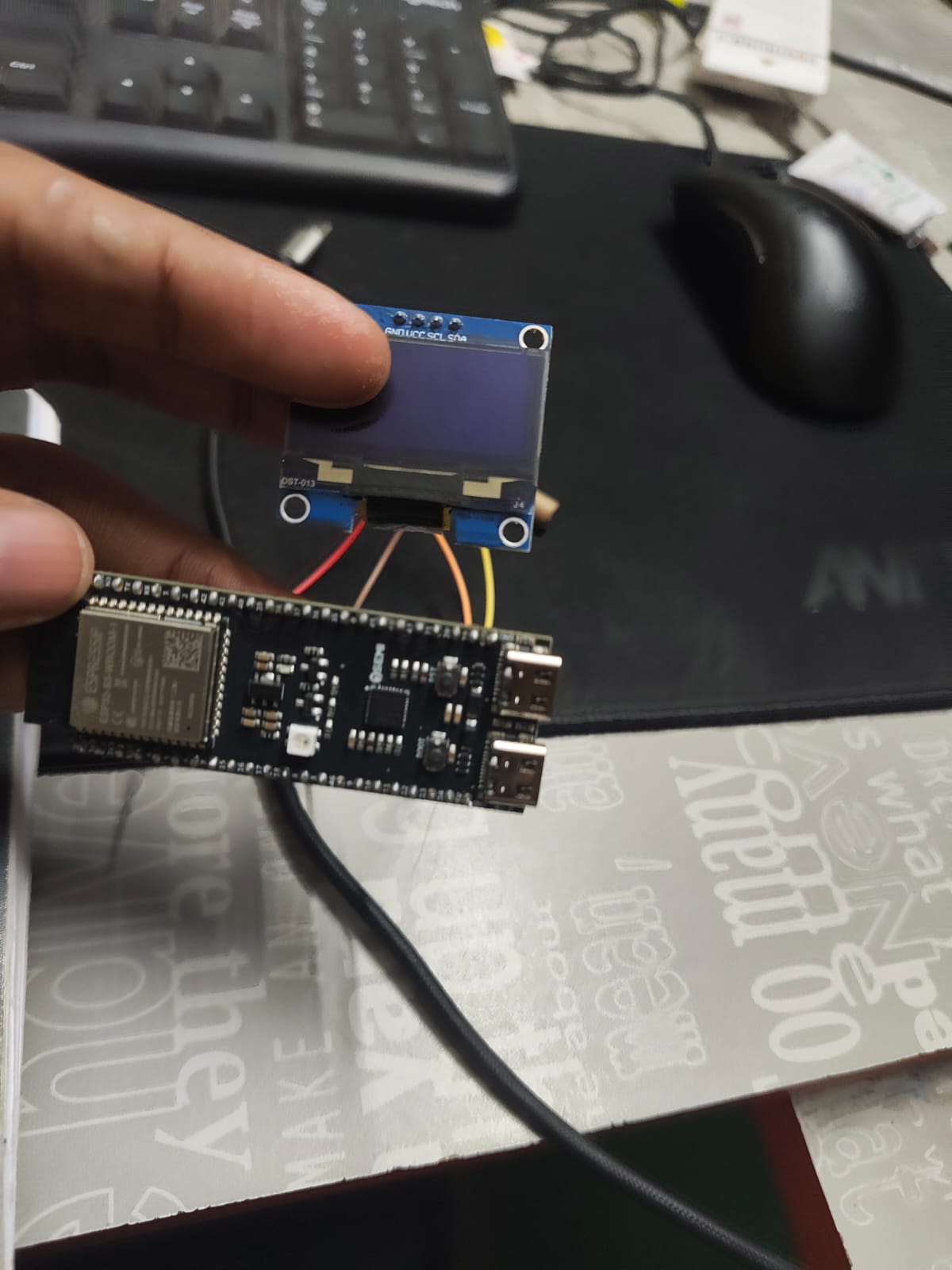
An embedded systems project that transforms standard MP4 video clips into binary 1-bit frame streams, playing them back smoothly at 24 FPS on a 1.3-inch 128×64 SH1106 OLED display using the 7Semi ESP32-S3 Dev BoardC-1.
⚡ Project Overview
Modern microcontrollers are frequently relegated to telemetry logging and IoT sensor readouts. This project explores the boundary of display bandwidth and memory architecture on the ESP32-S3 microcontroller by implementing a standalone monochrome video playback engine.
The system takes arbitrary MP4 video, downscales and dithers each frame into a raw 1-bit 128×64 pixel bitmap (1,024 bytes per frame), stores the serialized frames in flash memory, and streams them synchronously over a customized high-speed I²C bus (800 kHz) to an SH1106 OLED display controller.
What makes this project rewarding is the journey through embedded hardware bring-up, debugging signal timing, diagnosing bit-packing orientation mismatches, and tuning page memory transfers to achieve flicker-free 24 FPS video.
🛠️ Hardware Specifications
| Parameter | Specification | Details |
|---|---|---|
| Microcontroller | 7Semi ESP32-S3 Dev BoardC-1 | Dual-core Xtensa® 32-bit LX7 @ 240 MHz |
| Flash & RAM | N8R8 Configuration | 8 MB Quad-SPI Flash + 8 MB Octal PSRAM |
| Display Panel | 1.3" Monochrome OLED | 128 × 64 pixels, SH1106 Driver IC |
| Interface | I²C (Two-Wire Interface) | Configured for 800 kHz Fast-Mode Plus |
| I²C Address | 0x3C | Standard 7-bit slave address |
| SDA Pin | GPIO 11 | Hardware I²C0 Data Line |
| SCL Pin | GPIO 12 | Hardware I²C0 Clock Line |
| Operating Voltage | 3.3V DC | Powered from board's on-board low-dropout regulator |
| Dev Environment | Arduino IDE 2.x | Espressif ESP32 Arduino Core v3.x |
| Core Libraries | Adafruit GFX & Adafruit SH110X | Hardware bitmap rendering & display management |
🔌 Pinout & Hardware Interconnect
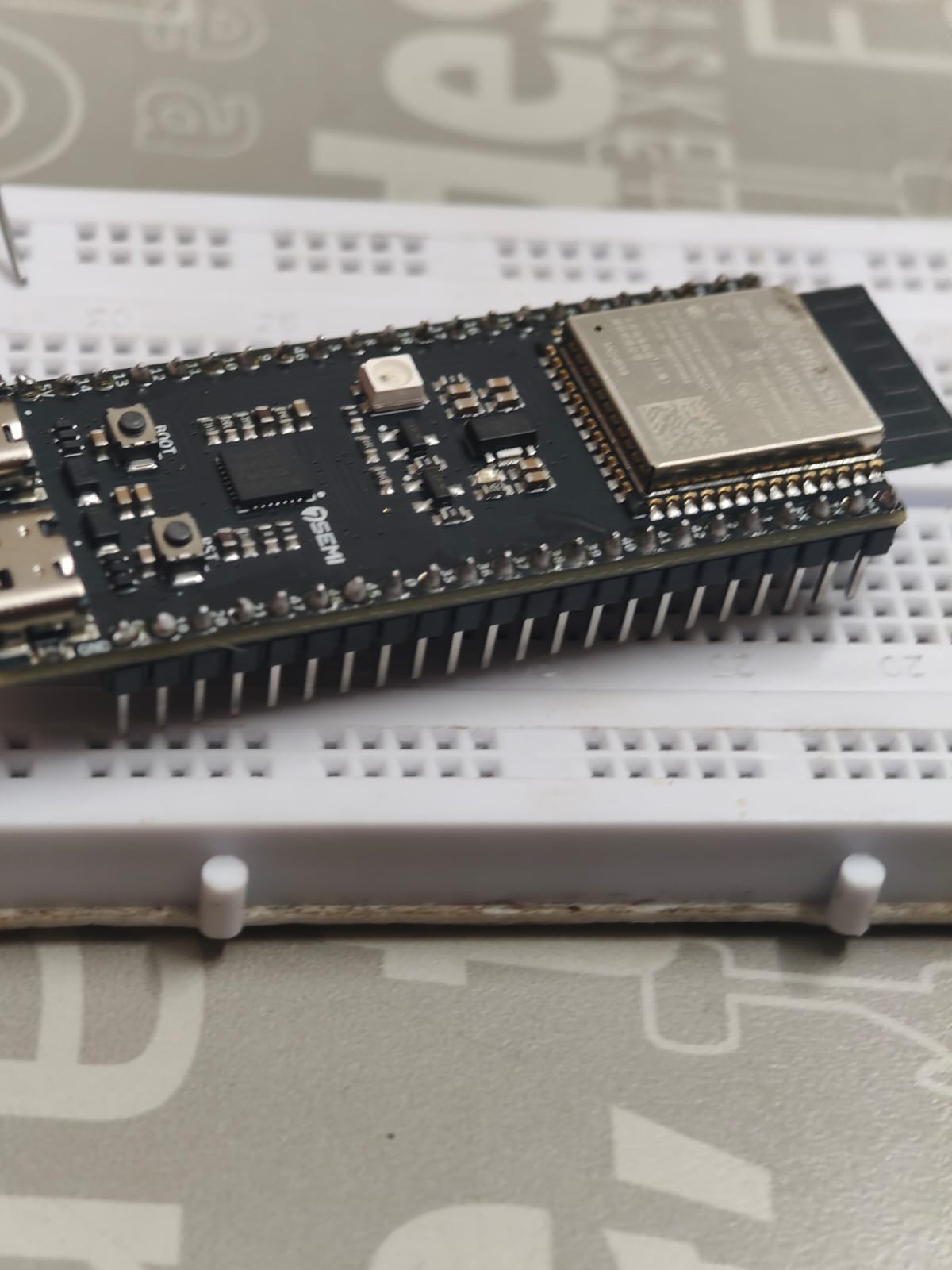
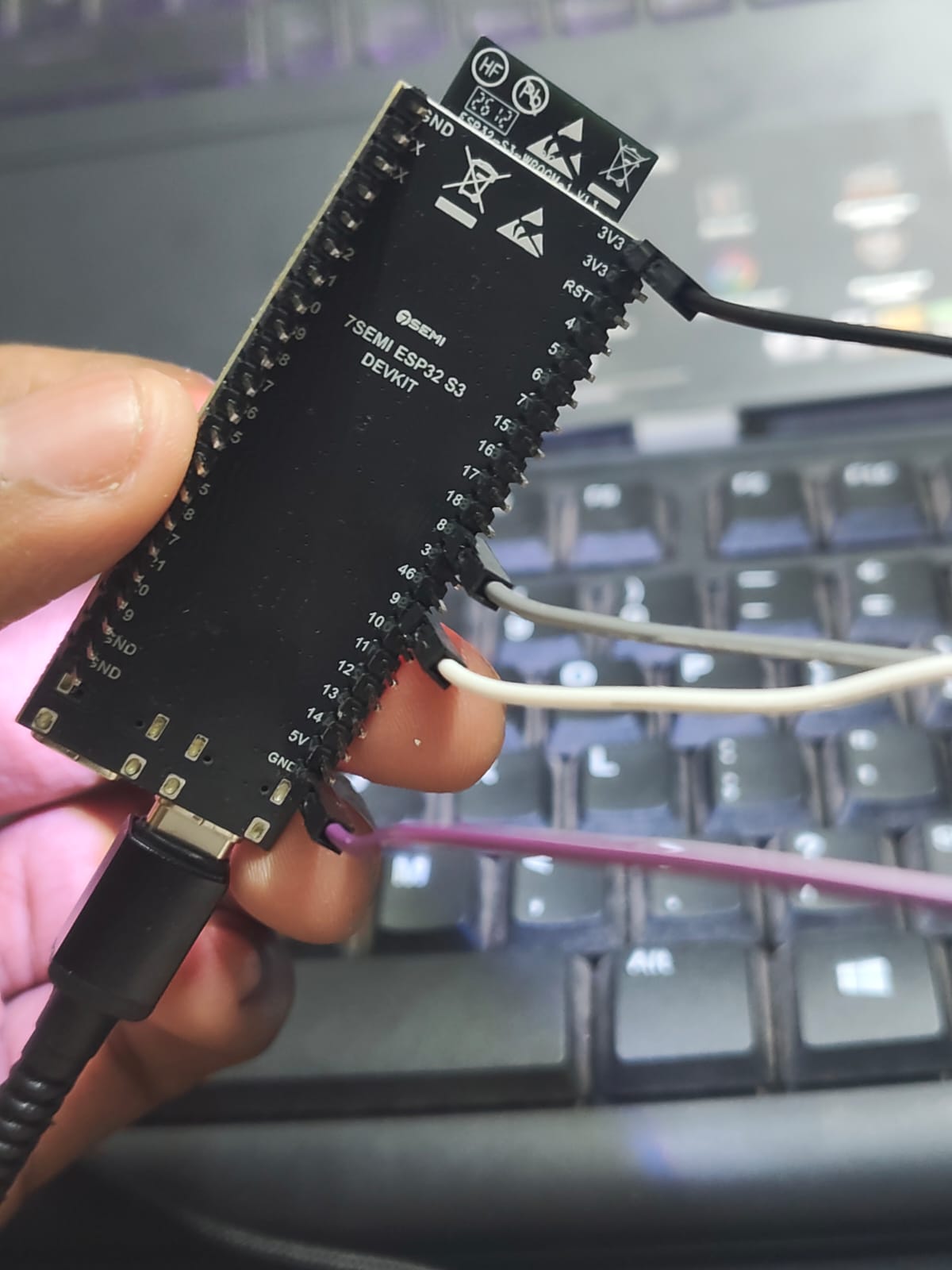
The 7Semi ESP32-S3 Dev Board exposes dual USB-C ports (UART and native USB OTG) and dual 22-pin headers. The SH1106 OLED module was wired directly via breadboard using four low-impedance jumper connections:
+---------------------------+                +-------------------------+
|   7Semi ESP32-S3 Board    |                | 1.3" SH1106 OLED (0x3C) |
|                           |                |                         |
|   3V3 (3.3V Out)  [Pin 1] +================> VCC (Power 3.3V)        |
|   GND (Ground)    [Pin 2] +================> GND (Common Ground)     |
|   GPIO 11 (SDA)   [Pin 17]+================> SDA (I2C Serial Data)   |
|   GPIO 12 (SCL)   [Pin 18]+================> SCL (I2C Serial Clock)  |
+---------------------------+                +-------------------------+
Wiring Color Code & Mapping
- Black Wire:
3.3V (3V3)→OLED VCC - Purple Wire:
GND→OLED GND - White Wire:
GPIO 11→OLED SDA(Serial Data) - Gray Wire:
GPIO 12→OLED SCL(Serial Clock)
📐 Technical Architecture
The firmware pipeline separates video preprocessing from runtime rendering to maximize frame throughput on the microcontroller:
[ MP4 Video Source ]
        │
        ▼  Tri Wahyu OLED Video Converter (Browser / Canvas API)
[ Spatial Downsample (128×64) ]
        │
        ▼  Floyd-Steinberg Spatial Error Diffusion
[ 1-Bit Monochrome Dithering ]
        │
        ▼  Bit-Packing (1 bit/pixel = 1024 bytes/frame)
[ C Byte Array Header (PROGMEM) ]
        │
        ▼  Arduino IDE Compilation & Flash Flashing
[ ESP32-S3 Xtensa Dual-Core MCU (240 MHz) ]
        │
        ▼  Wire.setClock(800000) & Adafruit_SH1106G::drawBitmap()
[ I²C Bus (GPIO 11 SDA / GPIO 12 SCL @ 800 kHz) ]
        │
        ▼  Page-mode Framebuffer Blit
[ SH1106 Controller & 1.3" OLED Panel (24 FPS Output) ]
🎞️ Video Conversion & Frame Encoding
A 128×64 monochrome display represents $128 \times 64 = 8,192$ individual pixels. Because each pixel is strictly binary (ON or OFF), 8 pixels can be packed into a single byte ($8 \text{ bits}$):
$$\text{Bytes per frame} = \frac{128 \times 64}{8} = 1,024 \text{ bytes (1 KB)}$$
At 24 frames per second: $$\text{Data rate} = 1,024 \text{ bytes/frame} \times 24 \text{ frames/sec} = 24,576 \text{ bytes/sec} \approx 24.58 \text{ KB/s}$$
Conversion Pipeline
The original MP4 video was processed using Tri Wahyu's ESP32 OLED Video Converter:
- Video Ingestion: The MP4 video was decoded into an HTML5 canvas.
- Crop & Resample: The aspect ratio was clamped and scaled to exactly $128 \times 64$ resolution.
- Thresholding & Dithering: Grayscale luminosity was evaluated using a Floyd-Steinberg dithering matrix to preserve gradients and silhouettes in high contrast.
- Header Generation: Packed byte arrays were output as standard C
const unsigned char PROGMEM video_frames[][1024]arrays ready to be imported directly into the Arduino project sketch.
🔍 The Debugging Journey: From Distortion to Fluid Playback
Debugging embedded display drivers is inherently tactile: when code fails, the display either stays blank or outputs chaotic noise. Rather than treating bugs as setbacks, each hurdle provided insight into the low-level architecture of display drivers and the ESP32-S3 peripheral matrix.
Hurdle 1: The Initial Hardware Bring-Up
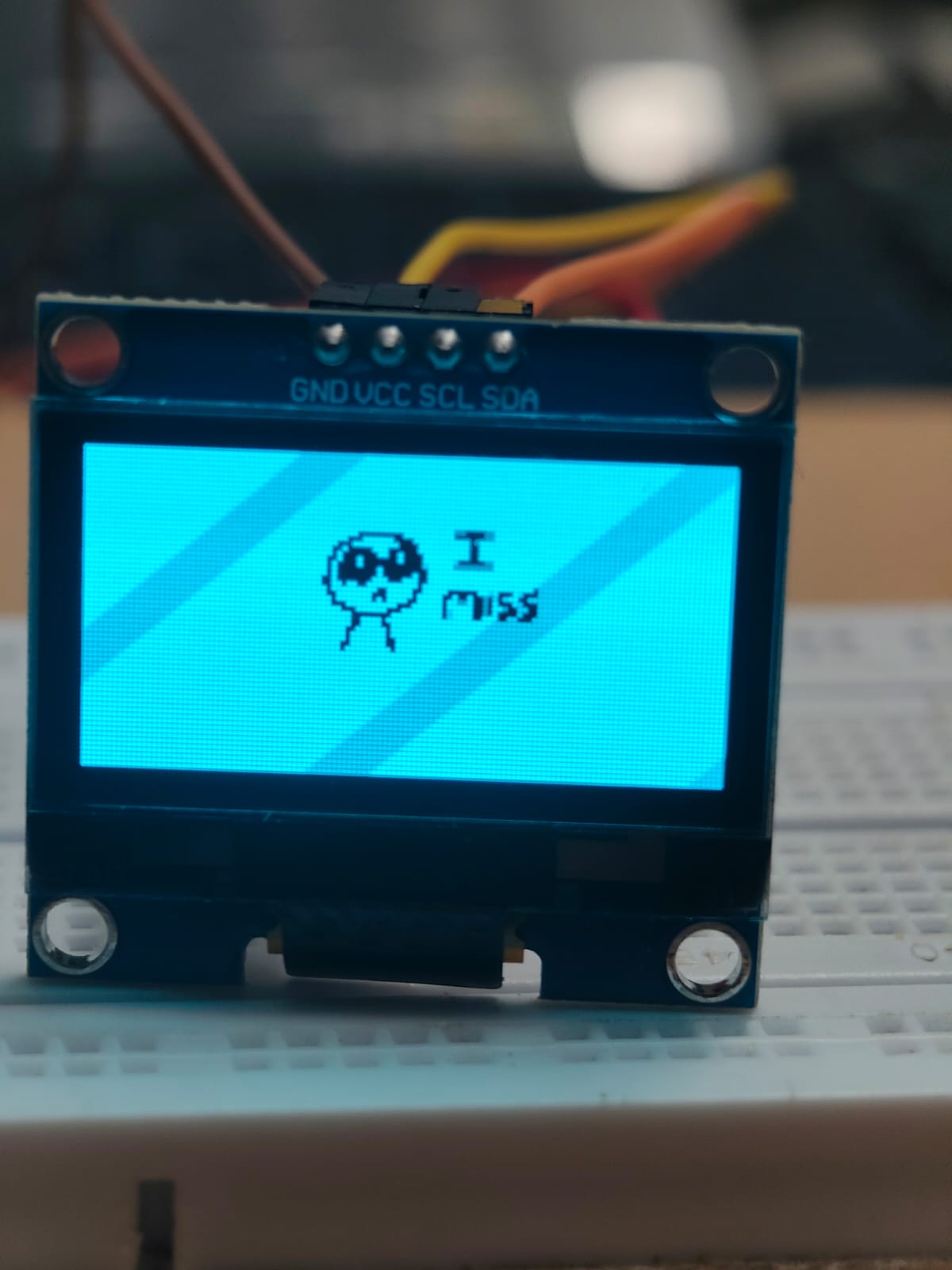
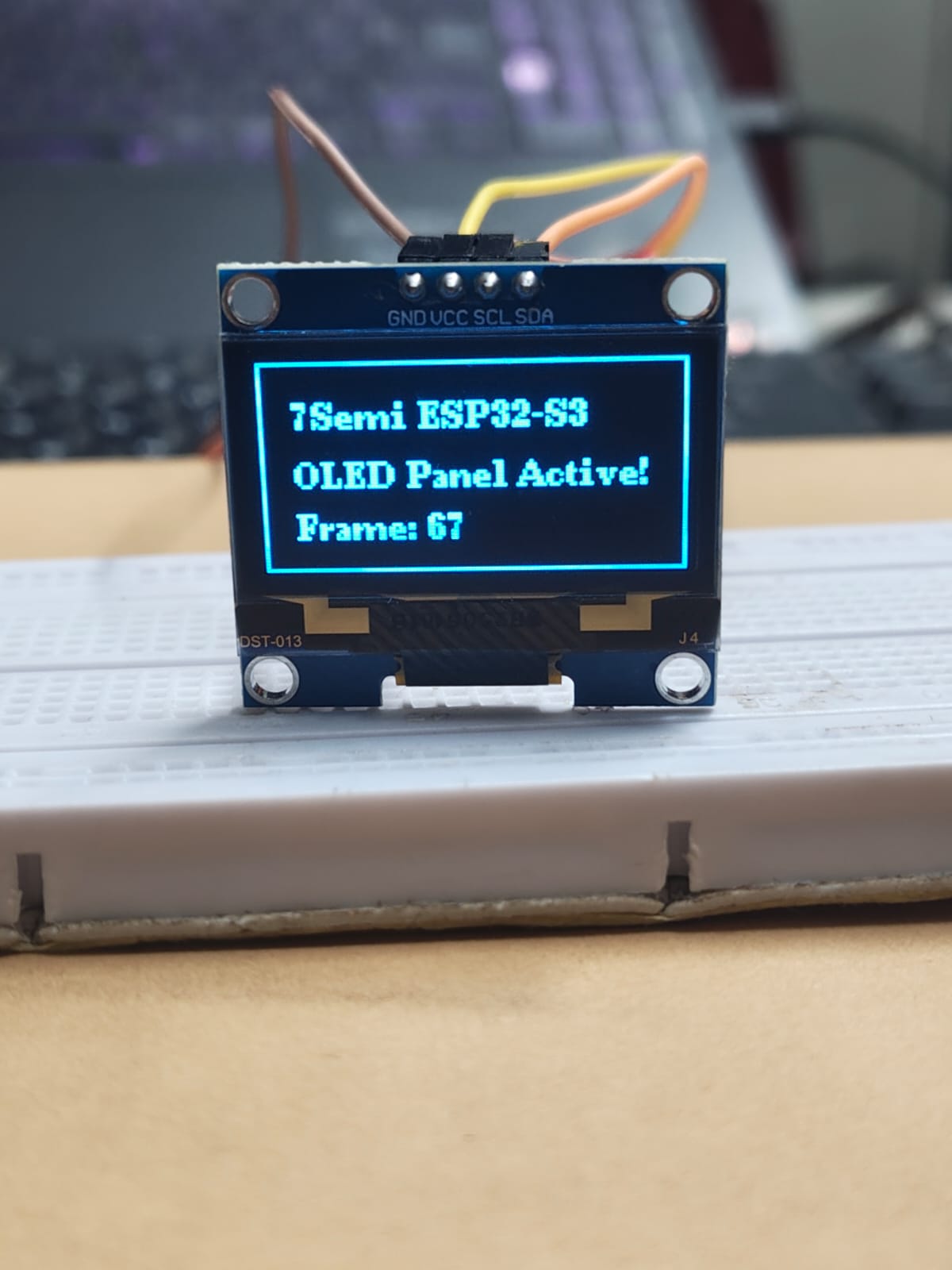
The initial sketch verified that the I²C bus was responding. Using standard Wire.begin(11, 12) configured GPIO 11 as SDA and GPIO 12 as SCL. An I²C address scanner confirmed the device responded at 0x3C. Initial text rendering tests confirmed the panel was healthy.
Hurdle 2: The Distorted Output (Bit-Packing Mismatch)
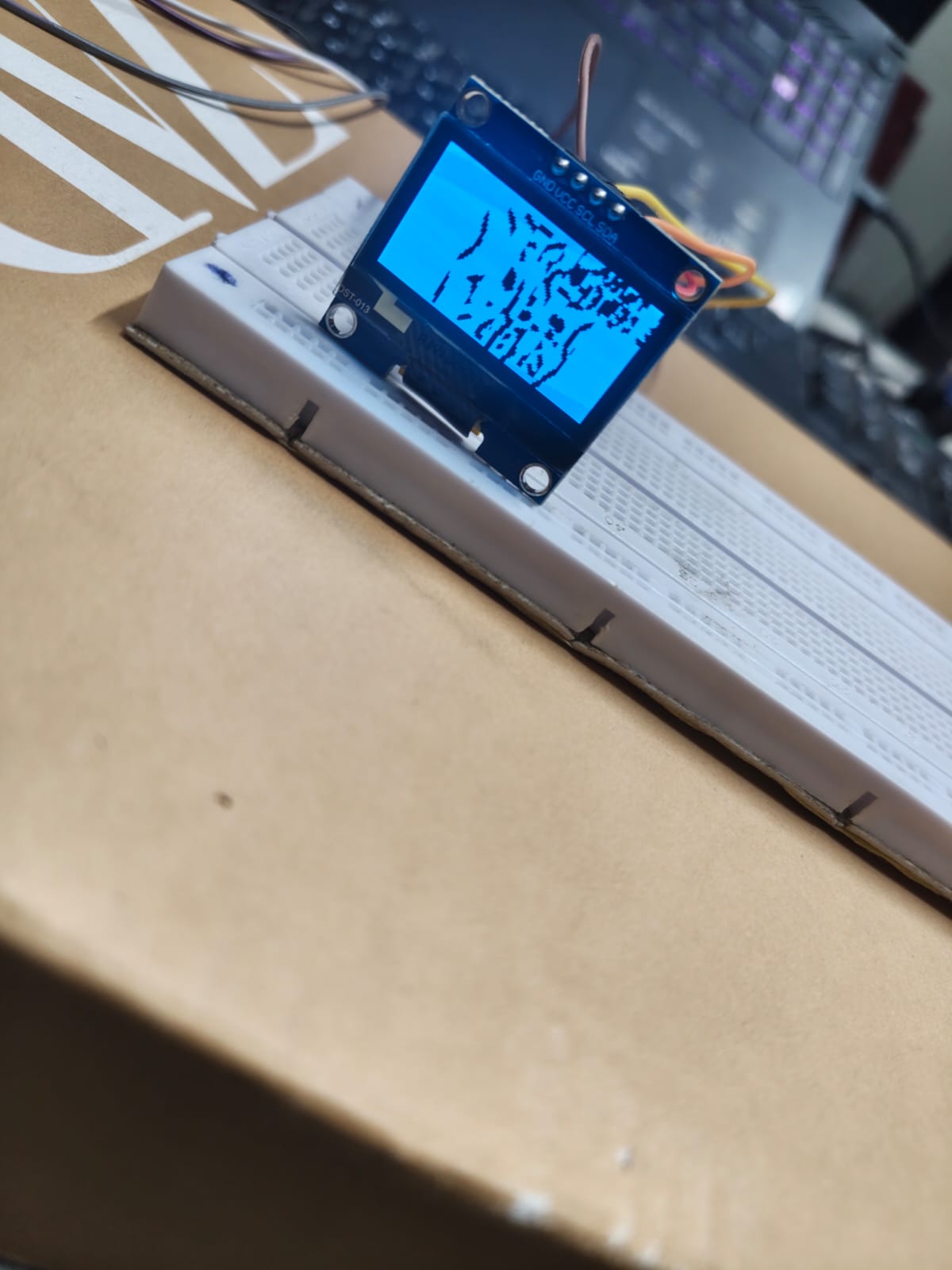
The most significant engineering challenge occurred during the first video playback test: instead of a recognizable frame, the OLED rendered vertical sheared streaks and scrambled pixel bands across the panel.
Root Cause Analysis
The issue was traced to a mismatch between how the conversion tool packed bits versus how the Adafruit_GFX::drawBitmap function reads them:
- U8g2 / XBM format: Packs pixels horizontally row-by-row, but uses Least-Significant Bit (LSB) first within each byte.
- Adafruit GFX
drawBitmap: Expects Most-Significant Bit (MSB) first, where bit 7 corresponds to the leftmost pixel in the 8-pixel horizontal segment. - Because bit endianness was inverted, adjacent pixels were swapped in groups of 8, causing a severe diagonal tearing and noisy vertical scan artifacts.
The Fix
- Refactored the converter output configuration to generate byte streams aligned with Adafruit GFX bit-packing (MSB-first row-major order).
- Adjusted the display driver initialization from SSD1306 routines to the native SH1106 page addressing routine (
Adafruit_SH1106G). The SH1106 internal RAM is 132×64 (with 2 dummy columns on either edge), which requires a 2-pixel column offset that standard SSD1306 drivers do not apply.
Hurdle 3: Eliminating Frame Drop with 800 kHz I²C Bus
With the bit-packing bug solved, playback was crisp but ran at approximately 12 FPS with noticeable tearing during fast motion.
Standard I²C operates at 100 kHz (Standard Mode) or 400 kHz (Fast Mode). To transfer 1,024 bytes plus frame overhead 24 times per second: $$\text{Required minimum bandwidth} \approx 24.58 \text{ KB/s} \times 9 \text{ bits/byte} \approx 221.2 \text{ kbps}$$
While 400 kHz theoretically suffices, I²C protocol overhead, ACK pulses, and SH1106 page address commands reduced effective throughput.
Solution: By overriding the default clock with Wire.setClock(800000) (Fast-Mode Plus at 800 kHz), the ESP32-S3's hardware I²C peripheral pushed frame transfer times down to under 16 milliseconds per frame, allowing rock-solid 24 FPS with plenty of CPU headroom left for audio synchronization or background tasks.
💻 Firmware Implementation Highlights
Here is the condensed structure of the core playback loop running on the ESP32-S3:
#include <Wire.h>
#include <Adafruit_GFX.h>
#include <Adafruit_SH110X.h>
#include "video_frames.h" // Contains const unsigned char PROGMEM frames[][1024]

#define SCREEN_WIDTH  128
#define SCREEN_HEIGHT 64
#define OLED_ADDR     0x3C
#define I2C_SDA       11
#define I2C_SCL       12
#define TARGET_FPS    24

Adafruit_SH1106G display(SCREEN_WIDTH, SCREEN_HEIGHT, &Wire, -1);

const unsigned long FRAME_INTERVAL_MS = 1000 / TARGET_FPS;
unsigned long lastFrameTime = 0;
int currentFrame = 0;

void setup() {
  // Initialize custom high-speed I2C bus on ESP32-S3
  Wire.begin(I2C_SDA, I2C_SCL);
  Wire.setClock(800000); // 800 kHz Fast-Mode Plus

  // Initialize SH1106 OLED
  if (!display.begin(OLED_ADDR, true)) {
    while (1); // Halt on hardware fault
  }

  display.clearDisplay();
  display.display();
}

void loop() {
  unsigned long now = millis();

  if (now - lastFrameTime >= FRAME_INTERVAL_MS) {
    lastFrameTime = now;

    // Clear display buffer and blit 1-bit frame directly from Flash
    display.clearDisplay();
    display.drawBitmap(0, 0, video_frames[currentFrame], SCREEN_WIDTH, SCREEN_HEIGHT, SH110X_WHITE);
    display.display();

    // Increment circular frame index
    currentFrame = (currentFrame + 1) % TOTAL_FRAMES;
  }
}
🖼️ Complete Project Photographic Gallery
The gallery below chronicles the project from unboxed hardware to complete working player:
1. The Controller: 7Semi ESP32-S3 Dev BoardC-1
The 7Semi board integrates an ESP32-S3-WROOM-1 module with dual USB-C, on-board RGB WS2812 LED, and 8 MB PSRAM.2. Hardware Wiring: Low-Impedance Jumper Routing
Underside inspection verifying pin assignments: 3.3V (Black), GND (Purple), SDA GPIO 11 (White), SCL GPIO 12 (Gray).3. Stage 1 Bring-Up: Initial Graphics Test
Verifying display address0x3C and font glyph rendering on the SH1106 glass panel before loading video streams.
4. The Debugging Turning Point: Distorted Bit-Packing
The distorted output caused by the mismatch between horizontal row-major MSB ordering and U8g2 bit packing.5. Verification & Telemetry Output
Live diagnostic screen validating stable communication, board identification, and continuous frame indexing.6. The Final Device: Smooth Standalone Video Playback
Fully assembled, self-contained embedded video player running 24 FPS monochrome video without stutter or screen tearing.🧠 Key Technical Takeaways
- Protocol Clock Tuning Matters: While 100 kHz is the safe default for I²C sensors, display controllers like the SH1106 can comfortably handle 800 kHz or even 1 MHz when short jumper leads are used. Bumping clock speed doubled effective frame rate without requiring SPI.
- Bit Endianness is Everything in Bitmap Engines: In monochrome rendering, a single flipped bit shift flips 8 pixels horizontally. Documenting the difference between XBM, GFX, and raw framebuffer formats saves hours of trial and error.
- Flash PROGMEM Efficiency: On ESP32-S3, storing frames in flash memory (
PROGMEM) avoids exhausting internal SRAM, enabling hundreds of video frames to be cached and looped smoothly. - Driver IC Quirks (SH1106 vs. SSD1306): While the two chips look identical from the outside, the SH1106's 132-column internal RAM requires a 2-pixel offset. Using the correct dedicated driver (
Adafruit_SH110X) prevents a 2-pixel column wrap artifact on the display edges.